Profile & subscription support
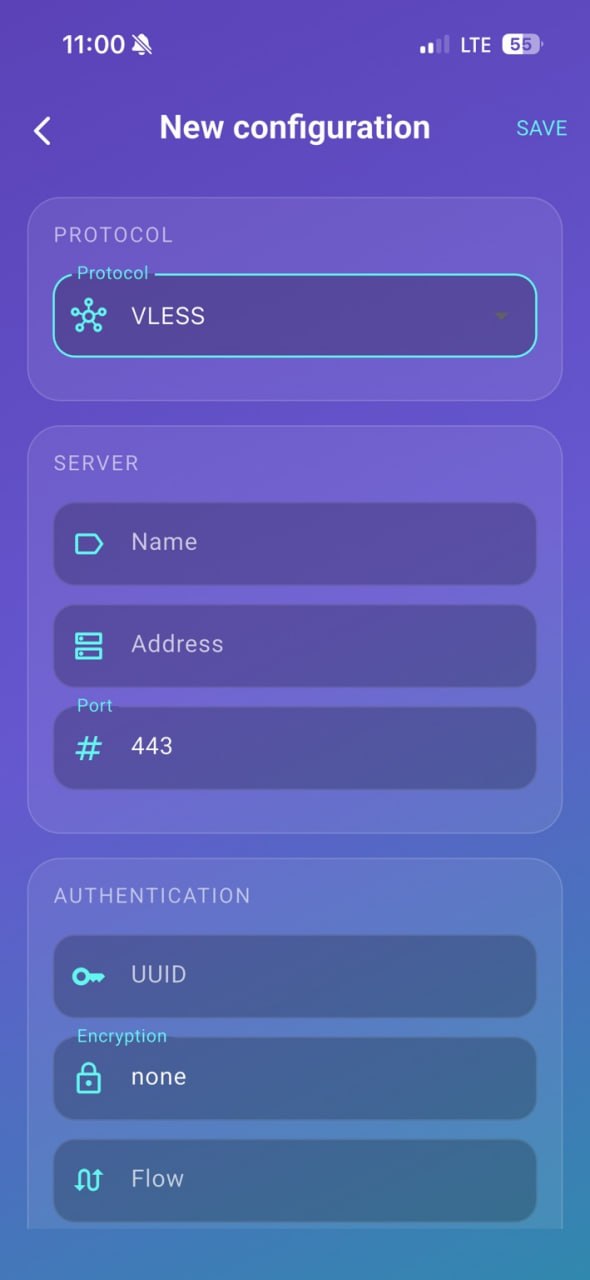
Manage imported configurations and grouped subscriptions in one place with a clean, readable layout.
Griffin Client is a modern connection profile client that helps users import compatible configurations, manage subscriptions, and connect with a focused mobile experience. It is not a VPN seller and does not provide server access by itself.
Griffin Client is a connection client. It does not include a VPN subscription and does not operate third-party servers for users.
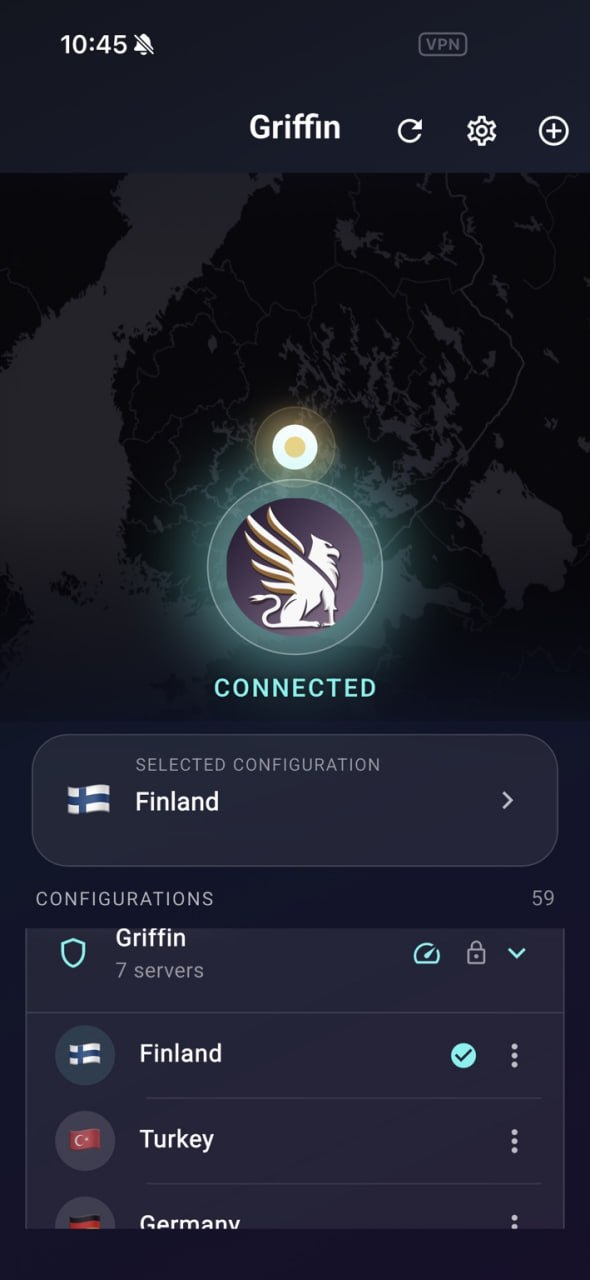
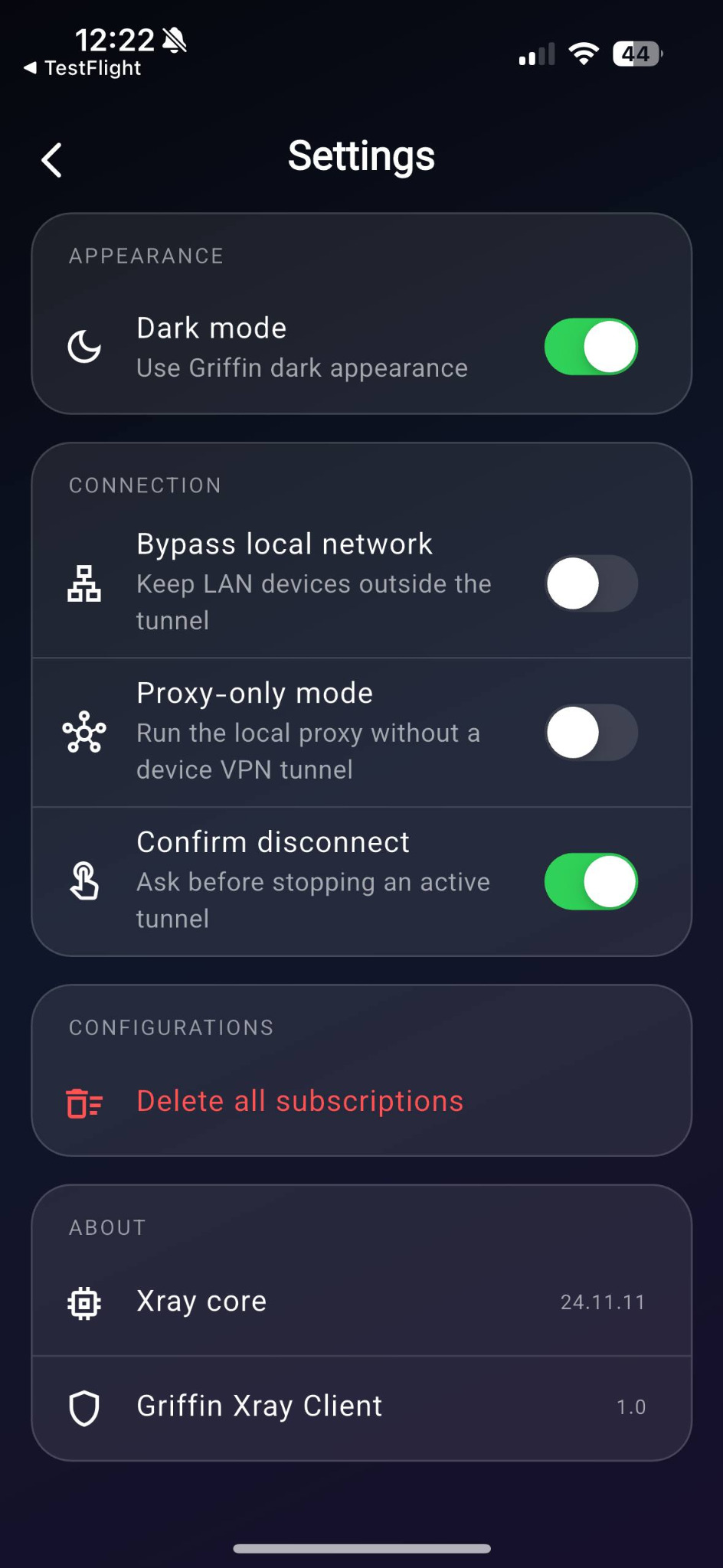
The current Griffin Client experience is designed around configuration import, quick connection, profile selection, and clear connection settings on mobile.
Manage imported configurations and grouped subscriptions in one place with a clean, readable layout.
Access useful controls such as dark mode, local network bypass, proxy-only mode, and disconnect confirmation.
See selected locations, active connection status, and available configurations without unnecessary clutter.
The app is being prepared for iOS and Android with a consistent Griffin look and easy-to-understand flow.
These sections use the real screenshots provided from the current app build, including connection, settings, and new configuration screens.
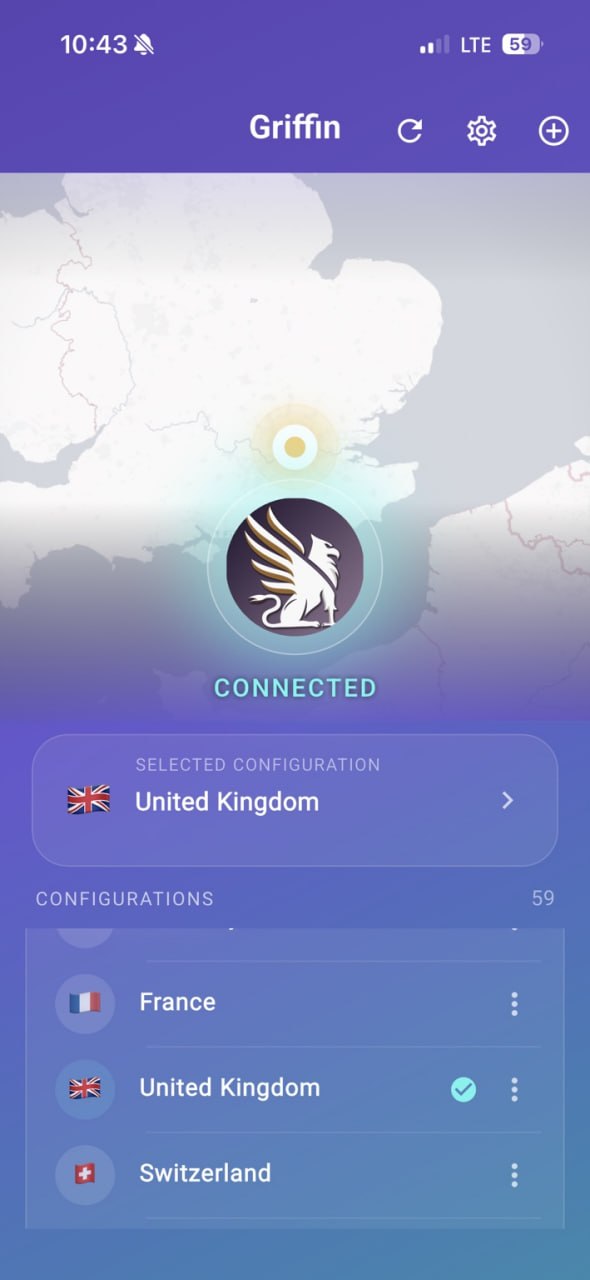
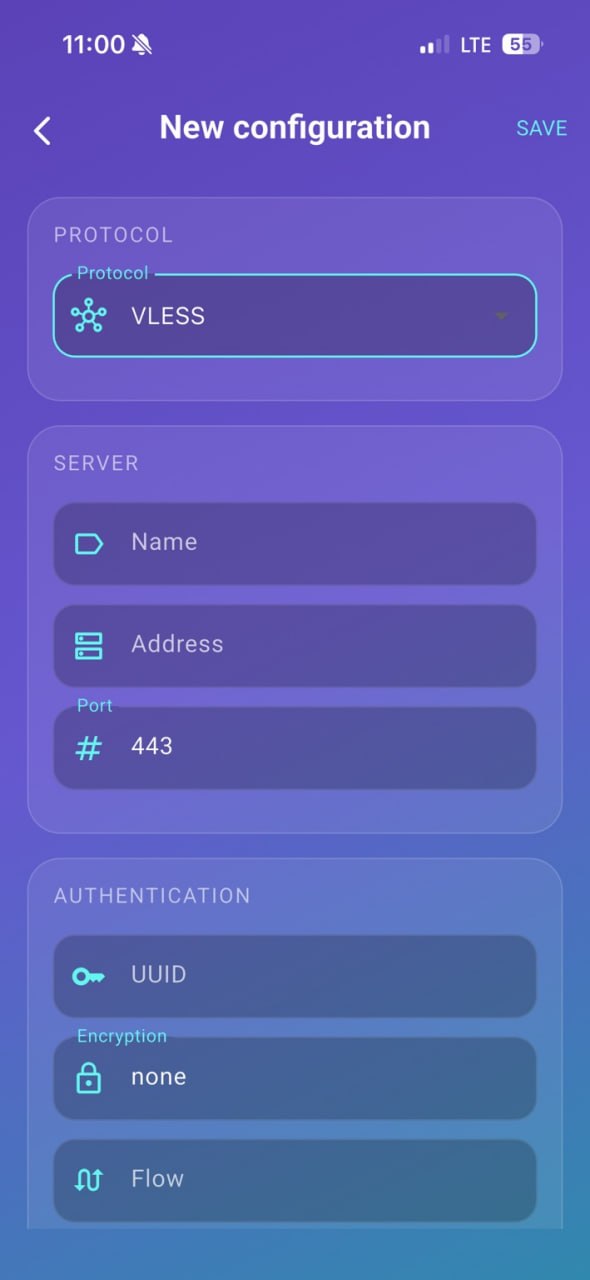
Griffin Client is meant to stay focused: users bring a compatible configuration, import it into the app, choose a location or profile, then connect using the system VPN framework where required.
 Griffin visual identity from the app itself
The logo, app icon, and showcase on this site are based on the existing Griffin Client screenshots you provided, so the landing page stays visually aligned with the product currently under review.
The iOS version has been submitted for review. Once available, the App Store link can be placed here directly.
Update this button with the final App Store product URL after approval.
The Android version is planned to follow with the same Griffin Client experience for profile import and connection management.
Need help with a profile or connection? Visit Support or contact our team.
Open SupportGriffin Client keeps the product story simple: bring your own configuration, manage it clearly, and connect from an interface designed for daily use.